



 Singletrack/MTB
 Gravel/All-road
 Dirt-road Touring
 Fat-bike




Wahoo ELEMNT Roam 3 Review: Is it Bikepacking Worthy?





Over the last five months, Neil has put the new Wahoo ELEMNT Roam 3 through its paces on everything from quick day rides to multi-day bikepacking trips. Along the way, he’s logged enough miles to deliver clear takeaways on the updated hardware, features, and what’s changed from the previous version. The big question: Is it fit for bikepacking? Watch now to find out…
PUBLISHED Sep 16, 2025
Having long been interested in head units and their continual advancement, I was excited to spend half a year testing out the new Wahoo ELEMNT Roam 3 to see how it improves on its predecessor. My 25-minute video review below takes a deep dive into the new unit, running through its features, quirks, my experience of using it, and more. You can watch it below and scroll further to find a written version with photos, a list of pros and cons, and my main takeaways from my time with it.
History
Wahoo was founded by Chip Hawkins in Atlanta back in 2009. Their first product was the ANT+ Key, a small device that allowed iPhones to connect to and track data from ANT+ fitness sensors like heart rate straps and cadence sensors. In 2012, Wahoo made their mark with the launch of the KICKR Smart Trainer, one of the first truly connected indoor trainers. A few years later, in 2016, they introduced the original ELEMNT computer, built around an app-driven setup and a simple interface.

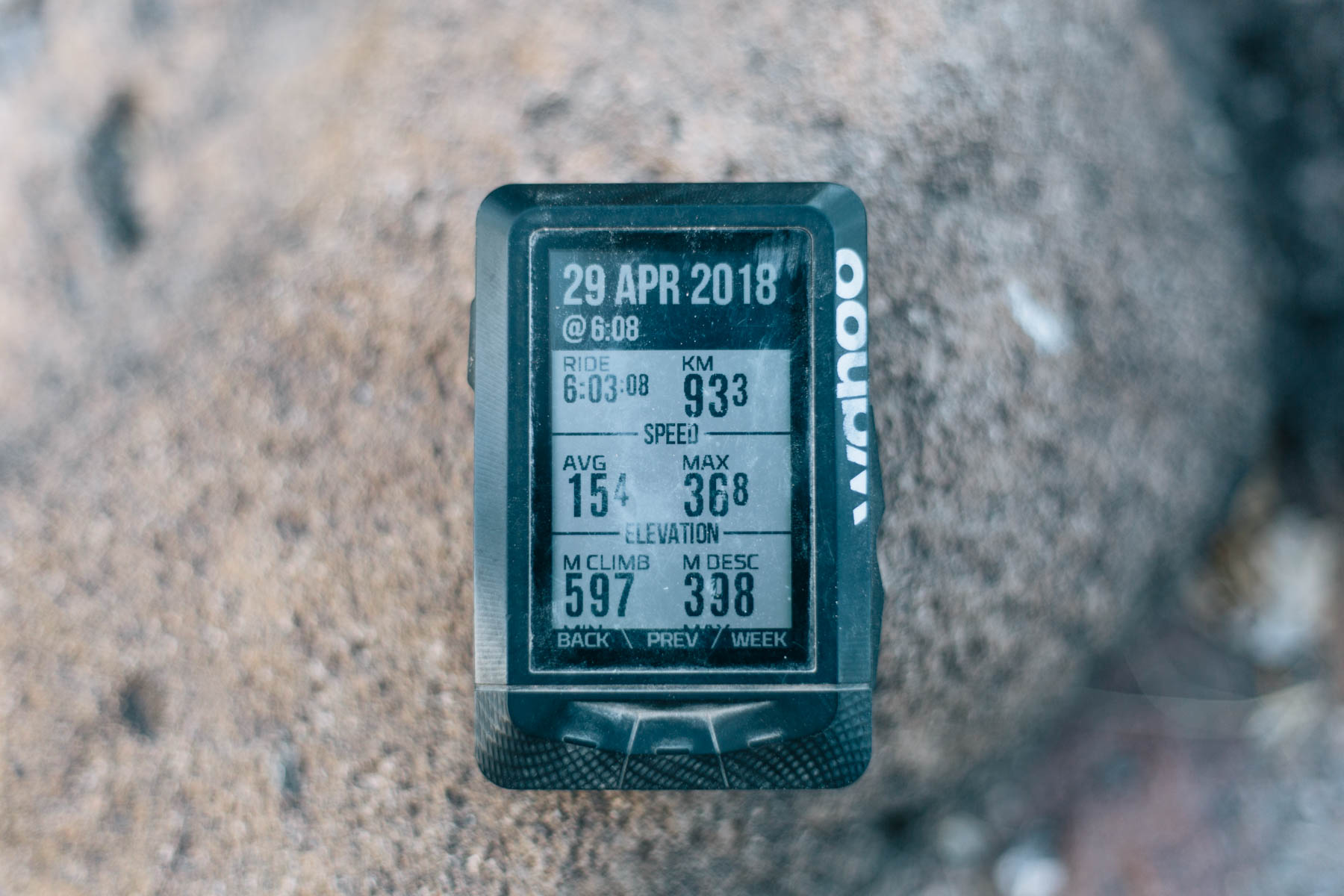
Just a year later came the Bolt, a compact, so-called “aero” head unit with those LED QuickLook lights that Wahoo quickly became known for. Then in 2019, Wahoo rolled out the larger ELEMNT Roam, designed around navigation, and that same year, they acquired Speedplay pedals. The Bolt V2 followed in 2021, adding a color screen, USB-C, and smart navigation. The Roam V2 arrived in 2022 with a richer display, dual-band GPS, and updated charging.
In December 2024, Wahoo also launched the ELEMNT ACE, a new category of bike computer that blends smartphone-like usability with the form factor of a dedicated head unit, and it even includes an integrated wind sensor. Fast forward to earlier this year, and Wahoo gave the Bolt and Roam a full refresh with modernized designs, more storage, brighter displays, longer battery life, and on the Roam, a brand-new touchscreen.
Old vs. New
So, what’s really new here? Quite a lot, actually. Unlike the jump from V1 to V2, which mainly added a bit of internal color, more storage, some button tweaks, and the move to USB-C, the Roam 3 feels like a complete overhaul.
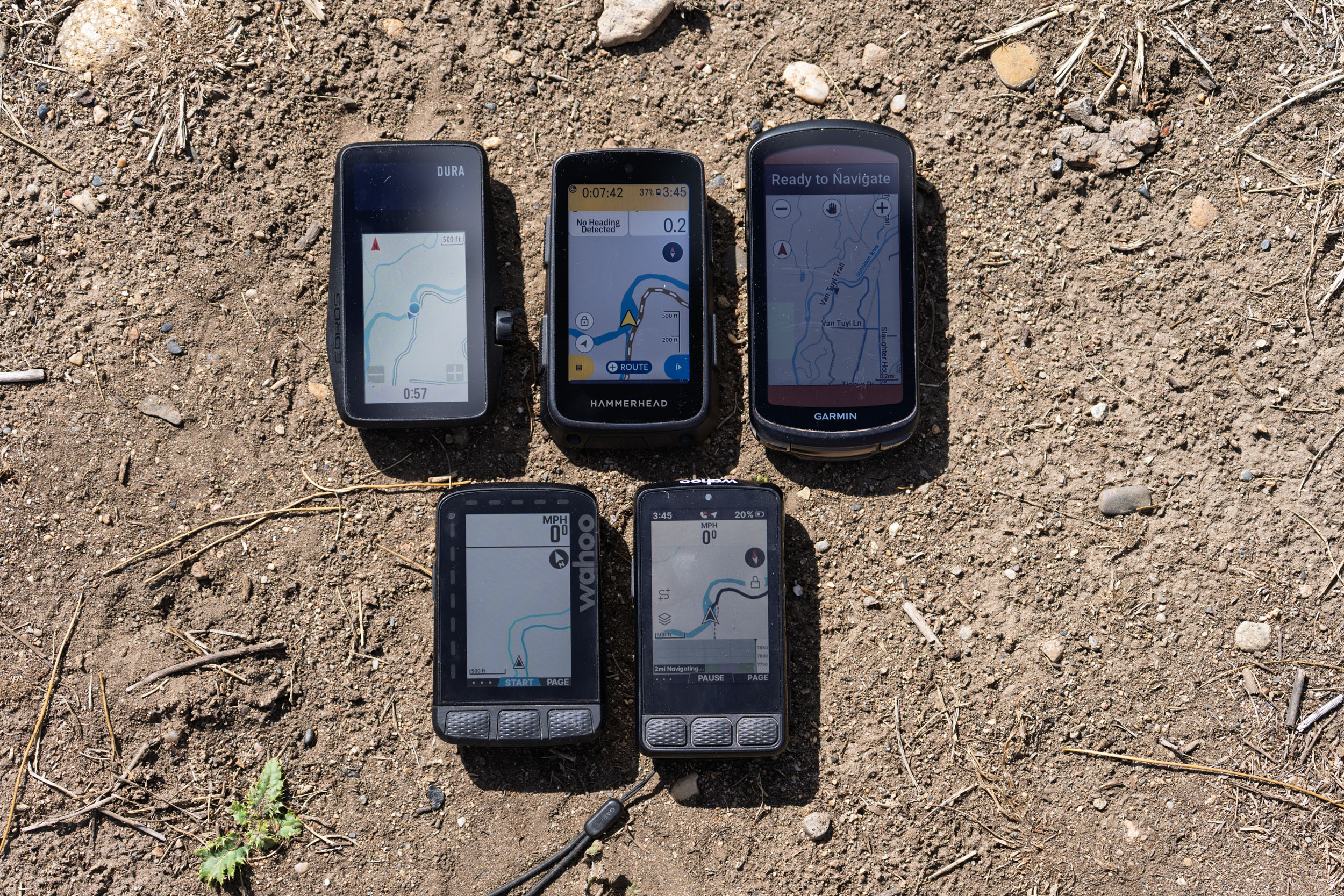
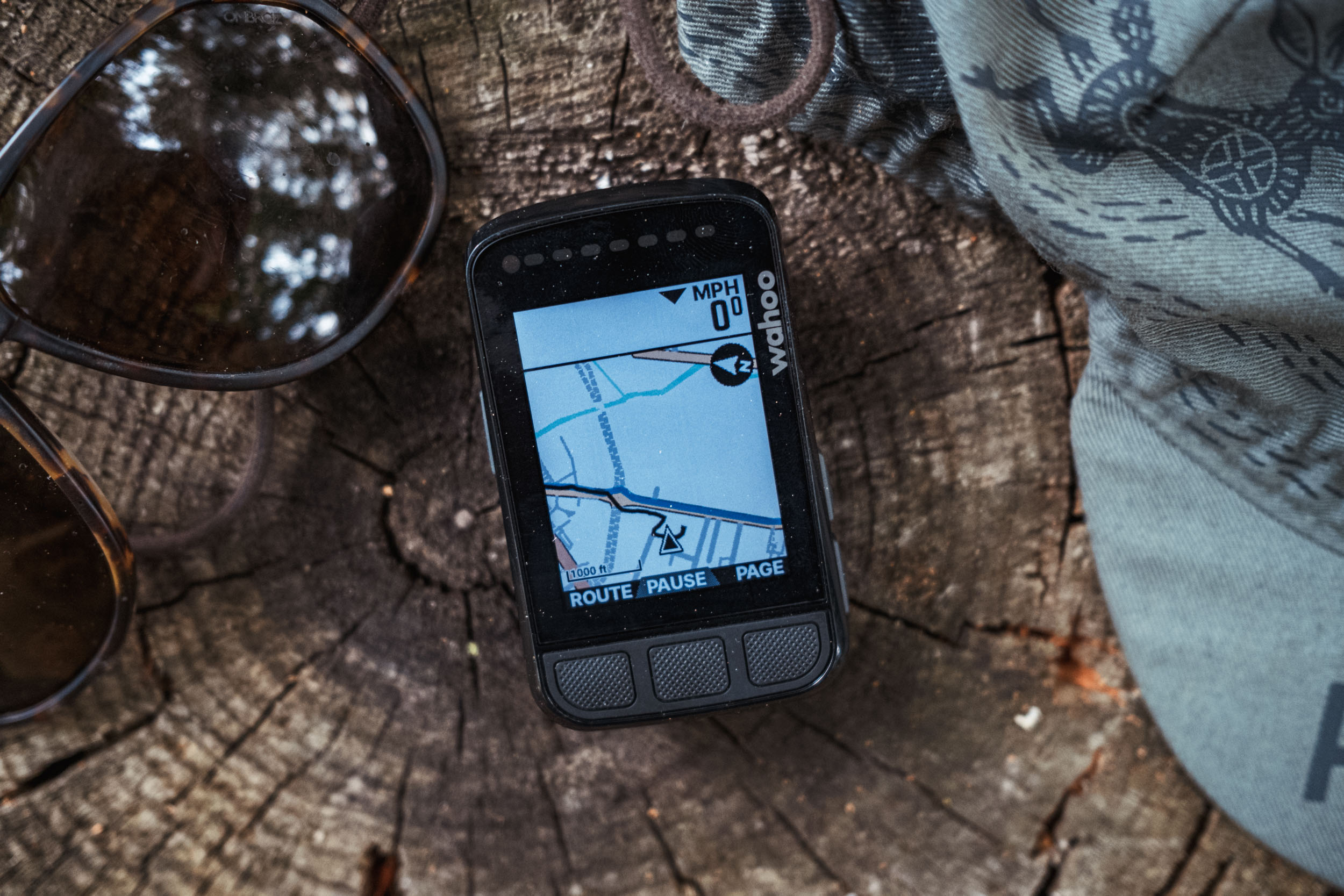
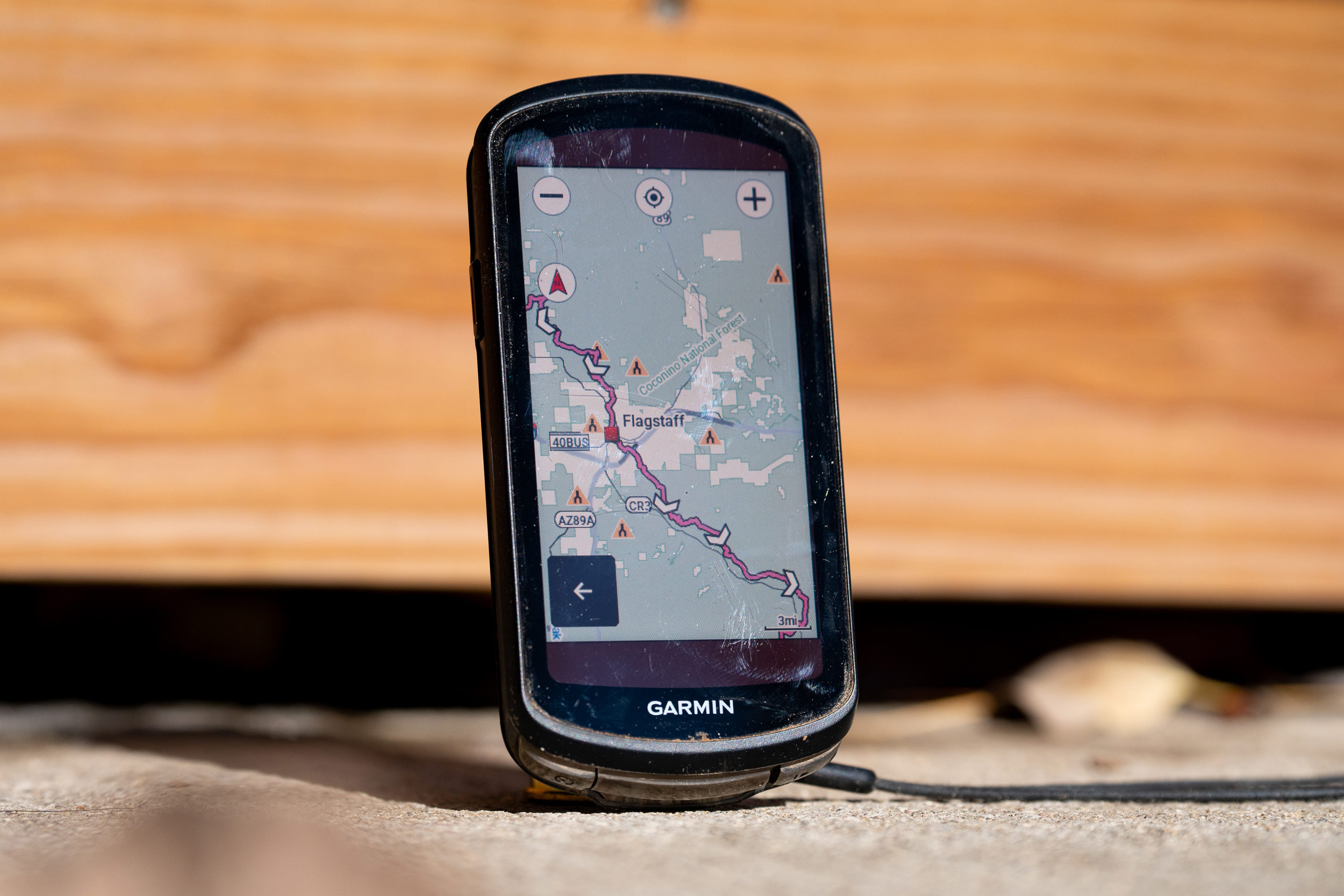
First off, the device is noticeably bigger and longer, measuring 96 × 53 × 24 mm, and it’s slightly heavier at 109 grams compared to 94 grams. Overall, it’s still smaller overall than the Hammerhead Karoo or Garmin Edge 1040 Solar, but it’s the thickest head unit I’ve used in the last few years.

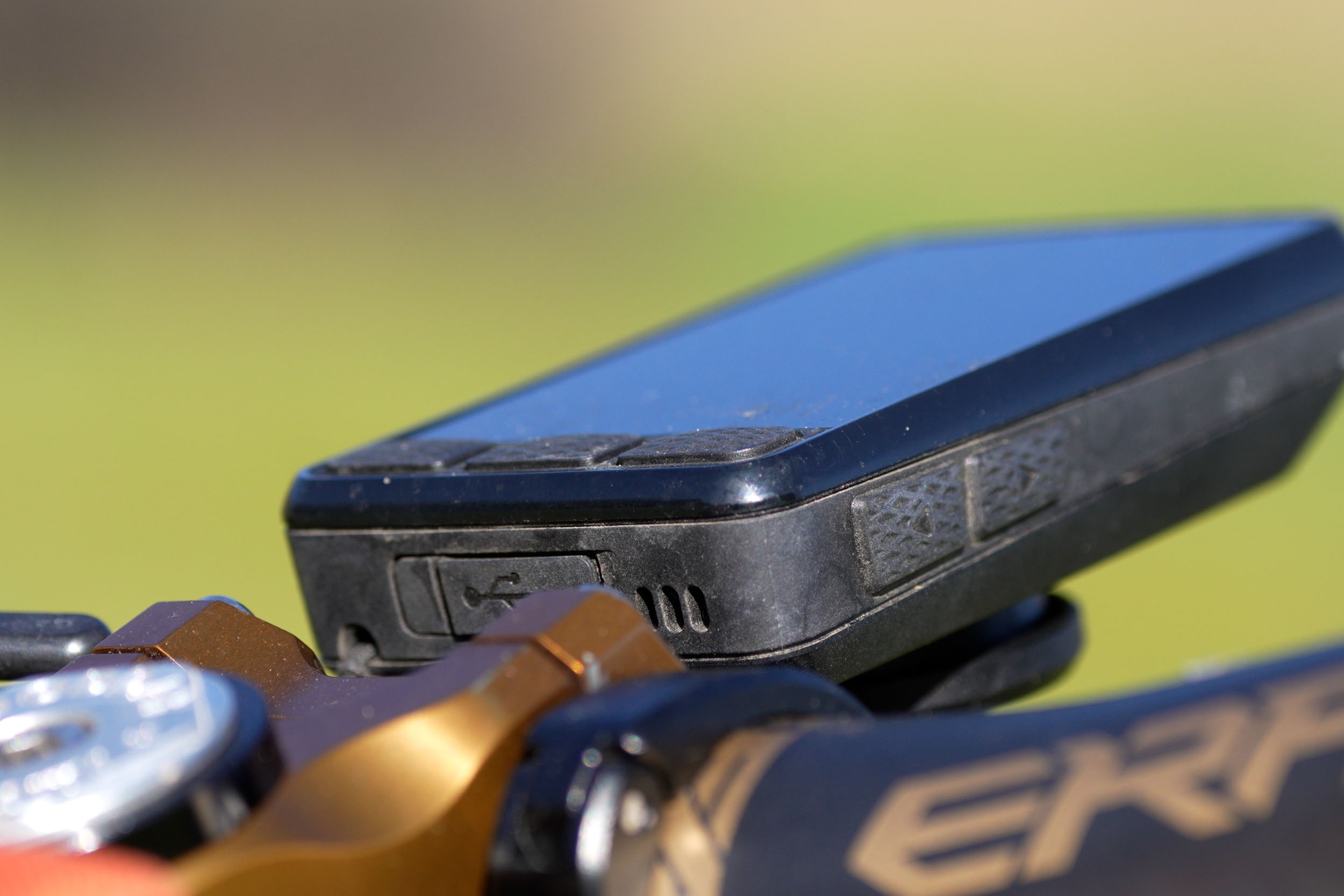
The Roam 3 keeps the USB-C port with a weather cover, and the button setup is the same as V2—three on the bottom that now protrude a bit more, two on the right side, and the power button on the left. Each click gives a solid, tactile feedback, so you always know you’ve engaged it, and they come with a nice grip, allowing for a precise press.
The biggest change is noticeable right away: Wahoo dropped the LED QuickLook lights that used to line the top and side to give quick cues for things like power or speed. Some riders loved them, and others didn’t. I don’t mind since you can replicate that information on the screen itself. Still, it was one of those features that set Wahoo apart, and plenty of people are disappointed to see it go.
That said, removing the LEDs makes room for the new 2.8” screen to stretch closer to the edges. The display is now a touchscreen, and the color depth jumps from just 64 colors on the Roam V2 to 16 million, putting it much closer to the Karoo in terms of vibrancy.


Storage also doubled, from 32 GB to 64 GB, so more room for maps, workouts, and so on. Sensors were updated too, and the Roam 3 now includes a speaker for audible turn-by-turn navigation—not something I use, but it’s an option. The built-in digital bell, on the other hand, has actually been surprisingly useful; it’s no Spurcycle bell, but it’s done the trick when I’m on local bike paths.
Finally, Wahoo moved away from the old ELEMNT app. Alongside the launch of the ACE, all new head units now use the Wahoo app. At first, I found that a little annoying, but I’ve come to like the change.
UI Upgrade
Up until now, the Bolt and Roam have basically shared the same UI across the last two generations, with only minor updates here and there. But when I first turned on the Roam 3—which I’ll admit takes too long at about 40 seconds—I was impressed with the new overall experience. While many riders loved the simplicity of Wahoo head units before the ACE, Wahoo has made some major changes here, and I think most of them are good.

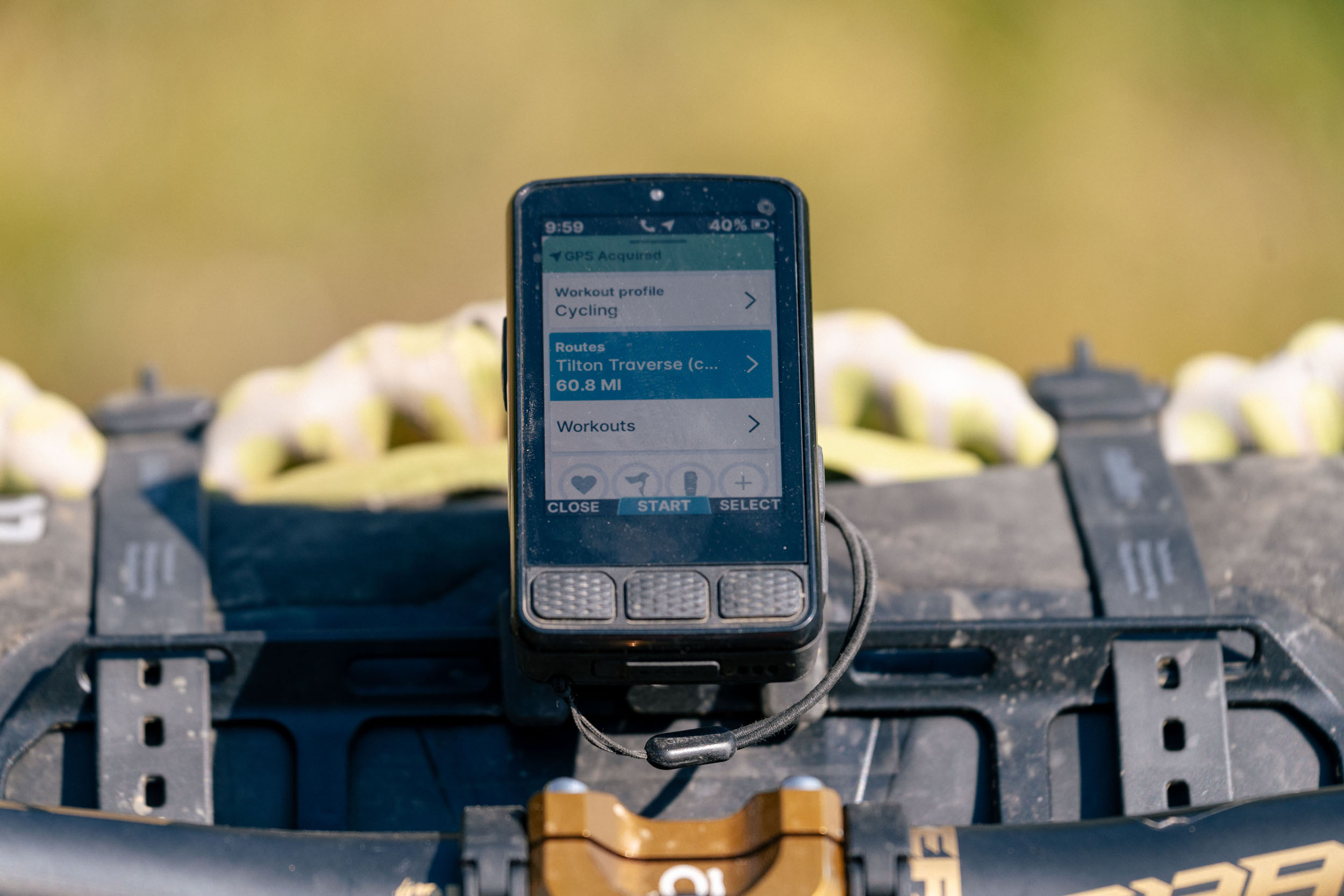
Right from the start, it feels like Wahoo took some notes from the Hammerhead Karoo. When you power it up, you’re greeted with options like Ride Profile, Routes, Workouts, and a quick view of your paired sensors.
I never bothered changing profiles—the default cycling profile was all I needed—but if you wanted to differentiate between day rides and bikepacking trips, or customize different data fields, that’s where multiple profiles could be useful. Routes and workouts are straightforward. What I like is that the home page makes it really easy to access, add, or remove sensors without digging around in menus.
Across the top of the screen, you’ll now see the time, a phone icon showing if you’re paired to a phone, a GPS signal indicator showing that GPS is on, and battery life. At the bottom, you can start or end a ride using the physical buttons. You can also swipe down—similar to a smartphone—and open up quick settings. It’s not easy to do with gloves, but once they’re off, the touchscreen is plenty responsive. From there, you can adjust the backlight, toggle dark or light mode, disable the touchscreen, or manage sounds and other preferences.


Swiping sideways brings up the sensor page, where you can configure things like the Wahoo TrackR radar, which I’ve been using and really like. Another swipe over gets you back to the main startup page with a few more settings, and the last page is notifications. I turn those off in the app, as I don’t want to be bothered when I’m on the bike. That’s my time to disconnect.
Overall, I think the usability is really solid. It’s simple enough for riders who want a no-fuss experience, but it also offers enough customization for folks who like to tweak data fields and settings. Compared to other devices, it still feels clean and approachable, even if it takes a little adjustment if you’re coming from an older Roam.
That said, the device isn’t perfect. It’s already had a few firmware updates, which have helped smooth things out, but it has glitched on me plenty. Maybe one out of 20 times, it won’t boot up properly unless I hard reset or plug it into a charger. Not a dealbreaker, but definitely not ideal if you’re short on time. One highlight of the processing is that once it is booted up, it’s not slow, which I can’t say is the case for all devices I’ve used recently.
Wahoo App
The Wahoo app is another way to customize the device, but what I like is that you can do almost everything directly on the head unit itself. That said, if you want to dive deeper—things like customizing data fields or adjusting more advanced settings—you’ll do that in the app. This is also where you can pair other Wahoo devices like the TrackR radar or update firmware.

The app also connects to third-party platforms such as Ride with GPS, Strava, and others, which makes syncing routes and rides really seamless. For example, if I build a route in Ride with GPS and save it, I just need to sync routes on the device, and it automatically shows up. On the flip side, once I finish a ride, the app pushes it straight to those paired platforms.
One thing that tripped me up at first is that I had to toggle on the auto-share button. Until I figured that out, my rides weren’t updating to Strava or Ride with GPS, but once I turned it on, everything worked smoothly.
The app itself pulls everything into one place: you can find your recent activities, suggested workouts, routes, suggested routes, and all of your Wahoo devices—whether that’s new head units, sensors, or smart trainers. I imagine older head units will eventually be supported, too, but as of yesterday, they were not syncing.
Battery Life
Let’s get into what I think is the most important part of any head unit: battery life. Every feature matters in some way, but without power, the device is useless. Wahoo claims up to 25 hours on the Roam 3. The key phrase is “up to.” The device has a bigger rechargeable lithium-ion battery in this version, which is how they stretch that number from 17 to 25, but in my testing, I never actually hit 25 hours.

With my phone paired but no other sensors, over 12 rides, I managed 22 hours, 39 minutes, and 35 seconds. I wasn’t following a track, had auto-backlight on, and the touchscreen enabled—basically, bare bones. Still not bad, but not 25 hours. I then began testing it in various other situations, such as following a route, which shaved off a little battery a touch faster, but the bigger drain came from sensors, especially the TrackR Radar. On busy roads, I could literally watch the battery tick down. With the radar paired for most of my rides, and following routes about half the time, I averaged around 17 hours. Not great, but still better than some other head units I’ve tested. At one point, the unit actually died on me mid-ride, and I was a little worried about data recovery. But once I charged it, it booted up and restored the ride without issue. It even started again, leaving right where it left off.
So, for weekend bikepacking trips, that runtime is manageable, but not ideal. Coros and Garmin’s Edge 1040 Solar give me more peace of mind, easily lasting multiple days without a recharge. That’s my most significant question mark for the Roam 3. It’s hard not to imagine Wahoo experimenting with supplementary solar panels, or even going the Coros route with a separate solar integration unit. I hate to say it, but the Roam feels like a day-ride device first, with just enough life for a short weekend trip—as long as you pack a power bank, because you never know what’s going to drain your battery faster.
Navigation
Obviously, navigation deserves its own section. Tracking day rides and following a track for bikepacking is one of the only reasons I still use head units now that my training days are behind me. But do we really need them with how good watches have become? That’s probably a topic for a future video, but I’d guess most of you watching are in the same boat as me.
The Roam 3 brings some nice map upgrades. The new color screen makes maps more visually pleasing, and the addition of road names is genuinely useful. That said, the maps are still pretty basic, and I’d love to see topographical lines when zooming in. With the touchscreen, I found myself scrolling and exploring the map more. I never did that with the v2 Bolt or Roam, and it was very easy and quick to navigate with the touch screen or the side buttons to zoom in and out.


Wahoo recently released a firmware update promising “increased contrast, improved color variance, and reduced visual clutter at certain zoom levels.” I have noticed some improvements, especially riding in and out of the sun and shade here in Colorado.
Something I like about the Roam 3’s visual experience is the matte finish. Compared to the Garmin 1040 or Hammerhead Karoo, which both have a glossier screen that can be harder to see, the Roam’s display holds up really well in bright or semi-bright sunny conditions—like I usually get here in Colorado. However, when it becomes cloudy, the screen loses some crispness and becomes harder to read.
The Roam 3 also supports map layers. I rarely toggled them on or off, but they added bike lane data, which is a nice option if you’re navigating through town and want the safest line. If you want to change layers, you just tap the layer button on the map and the options pop up.
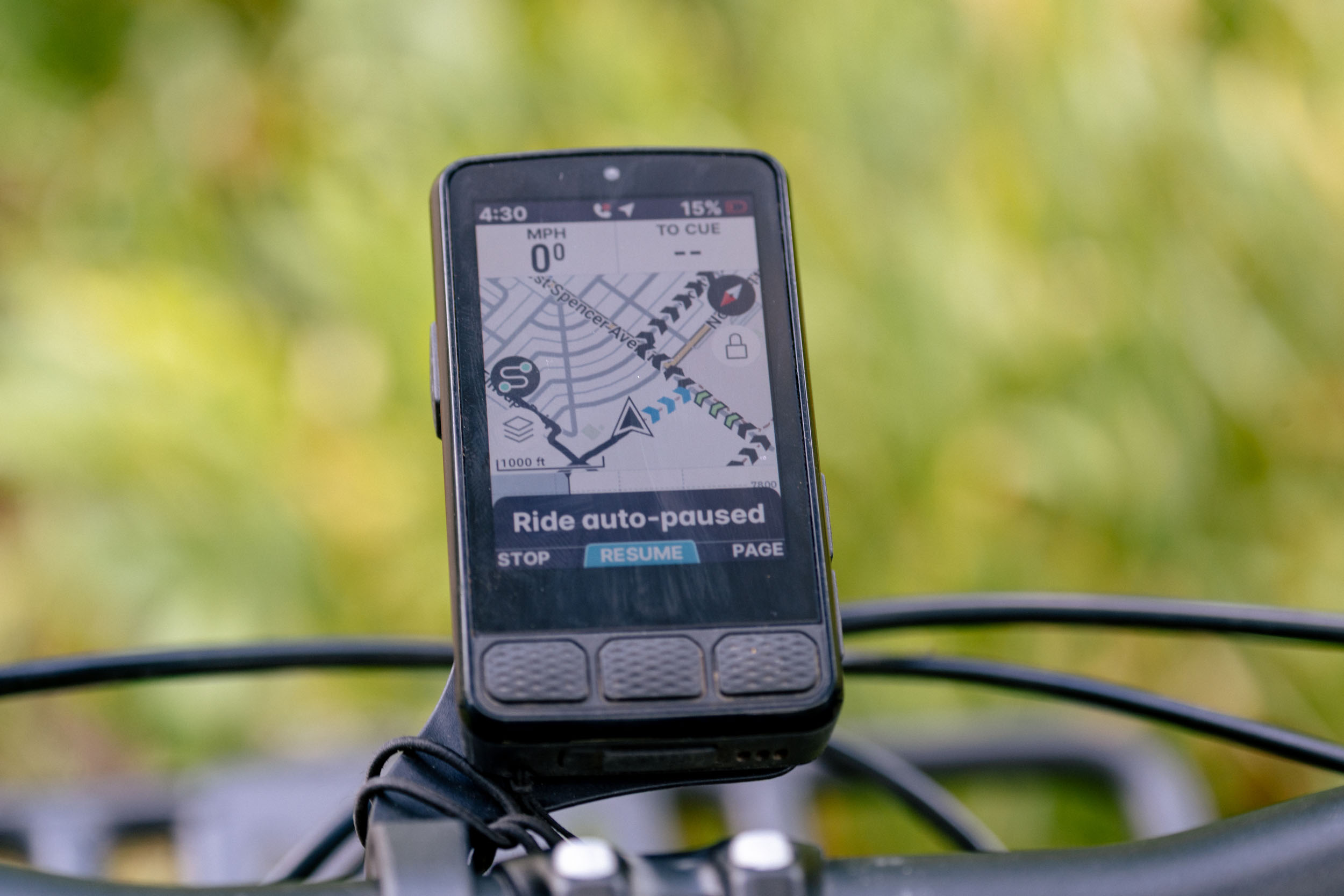

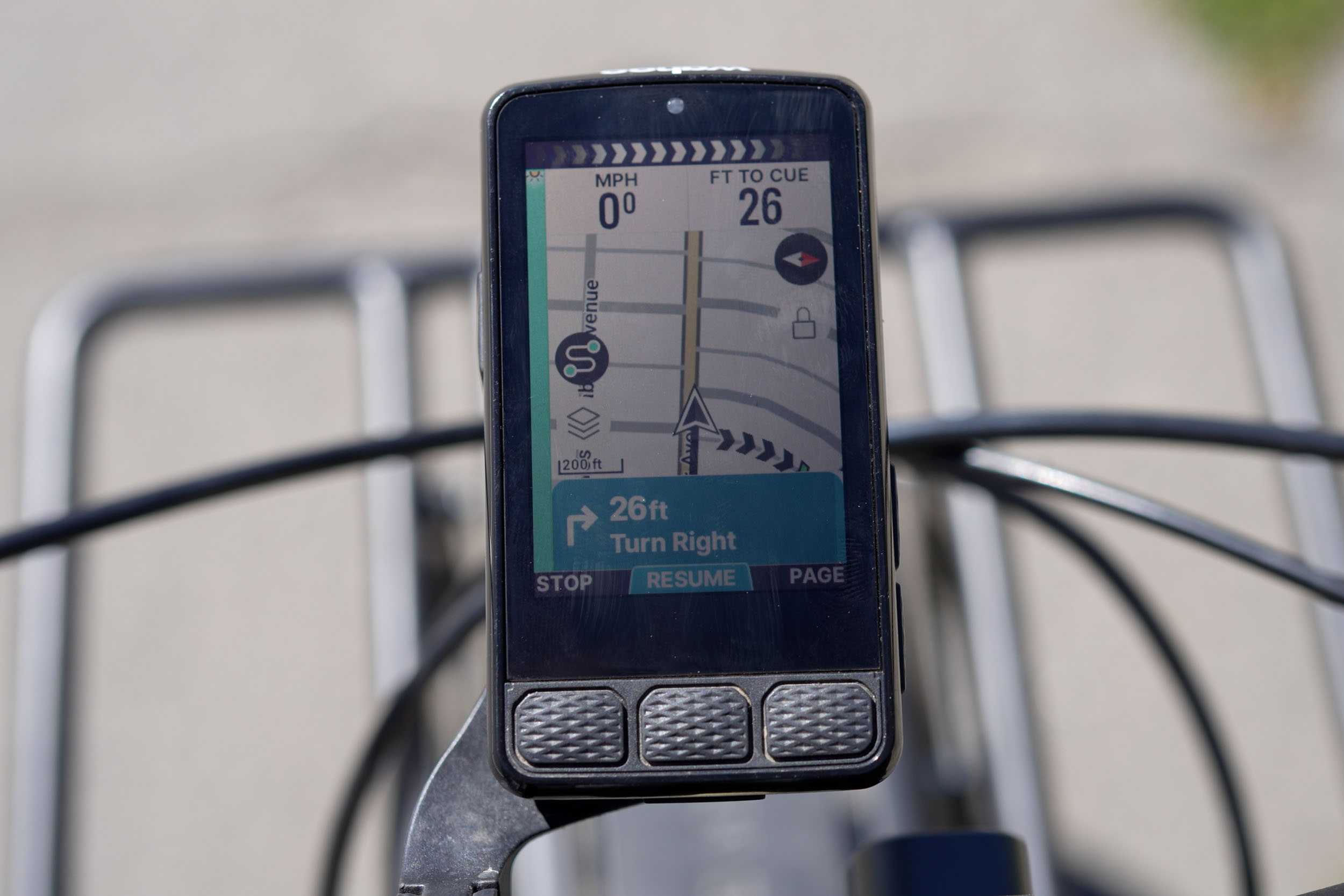
Following a route is straightforward. From the home screen, I head into the Routes section, which pulls in my Ride with GPS and Strava routes. You can search with the magnifying glass or sort through them. Once you load a route, chevrons show your direction; those chevrons change color—green, yellow, or red—to show the grade of the climb. You can also pull up turn-by-turn prompts, remaining mileage, and total climbing by tapping the line above the map layers. Overall, it’s really a great experience. I just recently added the elevation profile on the bottom of the map, and that basically gives me everything I need for a full day of bikepacking.
If you only need to get to a destination, the unit does a solid job. You can share a location from Google Maps or Apple Maps to the Wahoo app, and it will create a route. You can also “route to” a saved location or tap a spot directly on the map from the head unit. You even get the option to choose your preferred surface—paved, mixed, or unpaved. I like how quick this is to use, and in my experience, it’s worked well, at least around Gunnison.
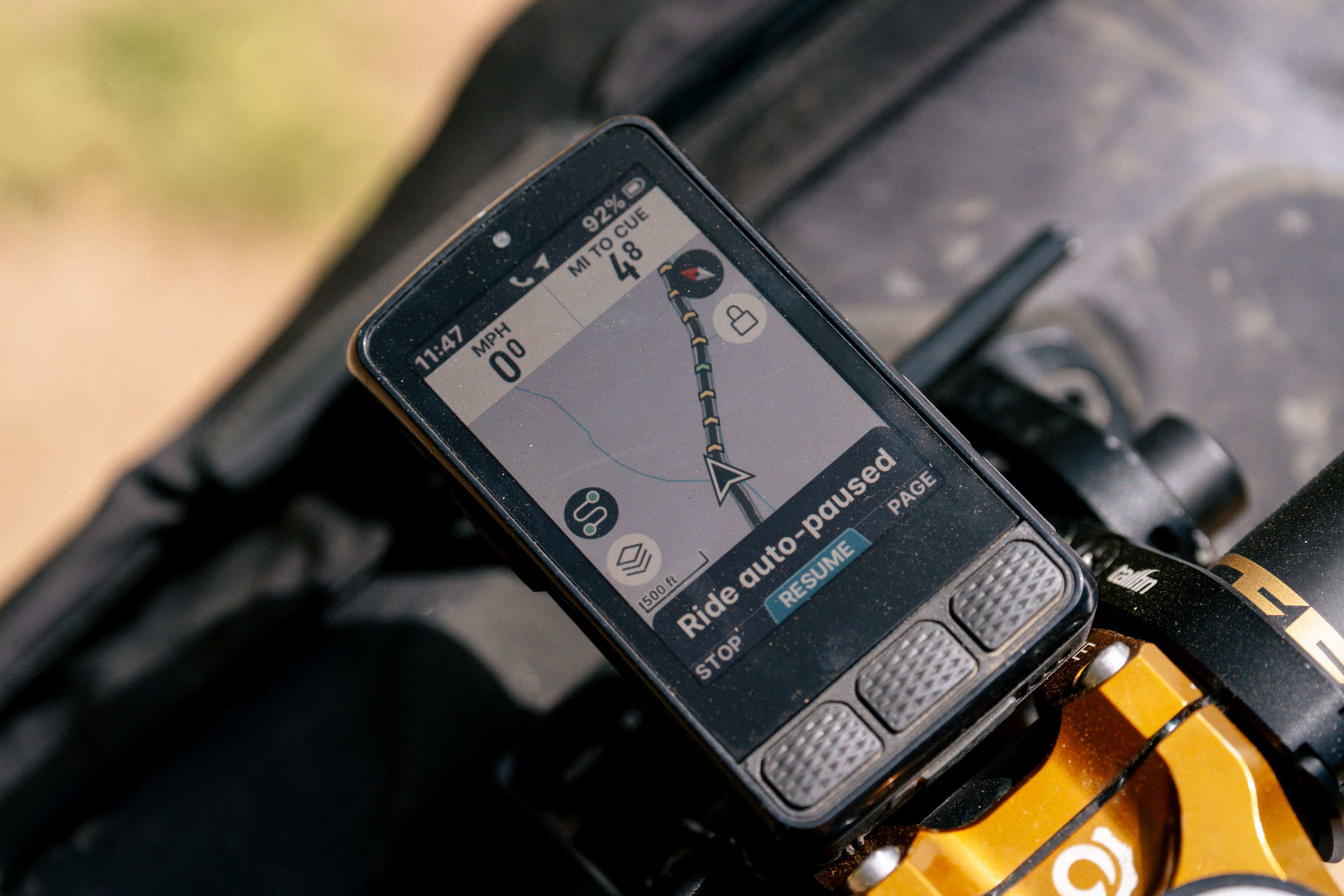
As far as rerouting goes, it does a pretty good job changing a route here in town and in the backcountry. You still need to be careful, but overall, I’ve been happy with the functionality—even though I generally hate rerouting on head units. Most of the time, I’ll pull out my phone or zoom way in on the GPS first before fully trusting it. One feature I really like is that when you’re following a route on the Roam 3, you can cancel it at any time and start a new one without ending your ride.
Other Features
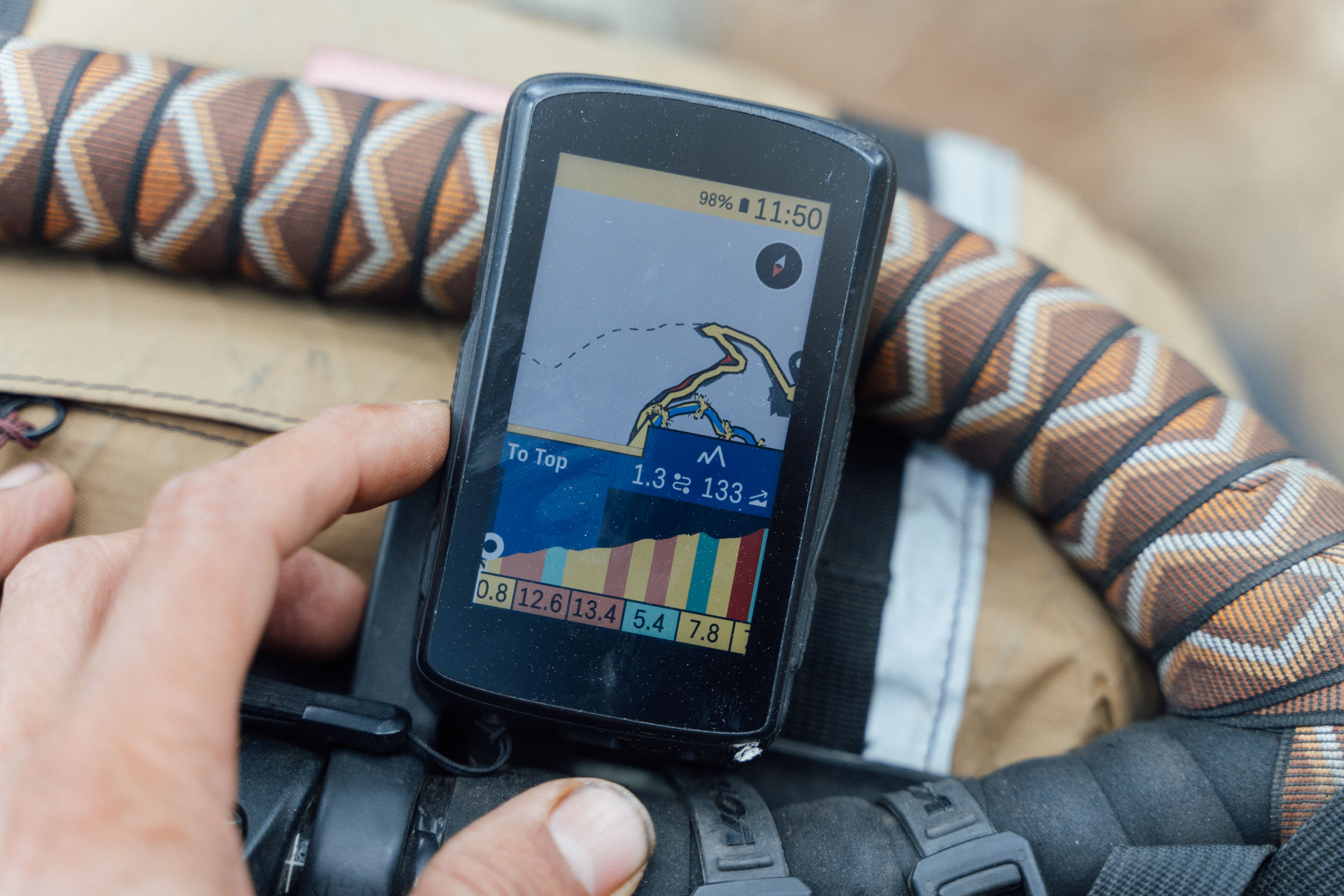
Climbing features like the Summit Segment have been around on plenty of head units, but the execution here is really well done and feels accurate. When you’re just riding along or following a route, the Roam 3 detects a climb and automatically switches to the Summit page. As you hit the base, it zooms in and gives you a full breakdown—grade, length, and elevation. I really like this because it clearly shows the profile, and it motivates me to push harder. The ex-racer in me still uses that as a carrot from time to time to burn some steam.
Speaking of the TrackR, when it’s paired, the Roam 3 shows cars creeping up on the left side of the display. It can display multiple vehicles at once, and the indicator changes from orange to red depending on speed. If a car is pulling a trailer, it shows two icons stacked on top of each other, which is my cue to move over even further. Bottom line, I hate riding with cars, but when I have to be on pavement, I absolutely love using the Wahoo TrackR Radar.
The Roam 3 also adds controls to manage Spotify, Apple Music, radar, lights, and even GoPro directly from the device. I know some people will appreciate that. If you don’t like the song in your earbuds, you can skip it right from your head unit. You can also set up custom alerts, which could be handy on something like the Colorado Trail. Sleep-deprived? You can set reminders to eat, or maybe better yet, to actually go to sleep.


And of course, the Roam covers all the training features you’d expect. I’m not going to dive into those here—Shane and DC Rainmaker already have great videos on that—but the takeaway is this: pros and amateurs alike use these devices for training rides and race day to track power, cadence, heart rate, and more. The Roam 3 definitely isn’t going to hold you back in that department.
And briefly on durability—the device has been through plenty of rain lately, and in those conditions, I do need to turn off the touchscreen, since it starts acting up. Otherwise, it’s been solid in the elements. On the older Roam V1, I actually had two weird sun spots show up on the screen, but so far with this unit, I haven’t had any issues, even with a lot of direct sun this year.
- Model Tested: Wahoo ELEMNT Roam 3
- Weight: 109 grams (3.8 ounces)
- Place of Manufacture: Taiwan
- Price: $465 at REI
- Manufacturer’s Details: WahooFitness.com
Pros
- Updated UI is a nice touch, and still offers the simplicity Wahoo is known for
- Screen is more vibrant
- Wahoo app is easy to use and works with third-party apps
- Battery life improved from V2
- More storage
- Reroute feature works well
Cons
- Battery life is decent but not ideal for extended bikepacking trips
- Removal of LED lights will upset some
- Thickest head unit I’ve tested
- Expensive, especially when you consider battery life and other units with solar capability
Wrap Up
Wahoo’s short but impactful run in the head unit world continues with the updated Roam 3. And while some folks might not love the big UI changes or the removal of the LED lights, I think Wahoo did a solid job of staying relevant while still keeping things simple. It’s not as stunning as Hammerhead Karoo, but it’s much more elegant than the Coros Dura. And after a few of the firmware updates, I feel like it’s tuned pretty well for everyday use.
The bump in battery life is welcome, but the device is also more powerful, which means capacity had to grow just to keep up. The real question is whether that’s enough for bikepackers. Obviously, it depends on who you are and how long your rides are, but for me, I find myself charging it more often than I’d like. That’s where I start to lean toward devices with solar charging or more efficient power use, and I hope that’s on Wahoo’s to-do list for future units.
Still, the Roam 3 is easy to navigate, routes are intuitive to follow, the summit climbing features add a nice visual touch, and it’s quick to process commands, unlike some head units I’ve tested. The Wahoo app is also straightforward and genuinely useful. Now that I’ve turned on all my devices again for the first time since the Coros review, I’m impressed with the overall capability and visuals, more so than I thought I would be, but at $465, it’s still a big spend for a head unit.
I’d like to hear from you all. What do you think? How does the new Roam 3 look to you? Let me know in the conversation below.
Further Reading
Make sure to dig into these related articles for more info...

Please keep the conversation civil, constructive, and inclusive, or your comment will be removed.














